How to Cancel a Course Subscription
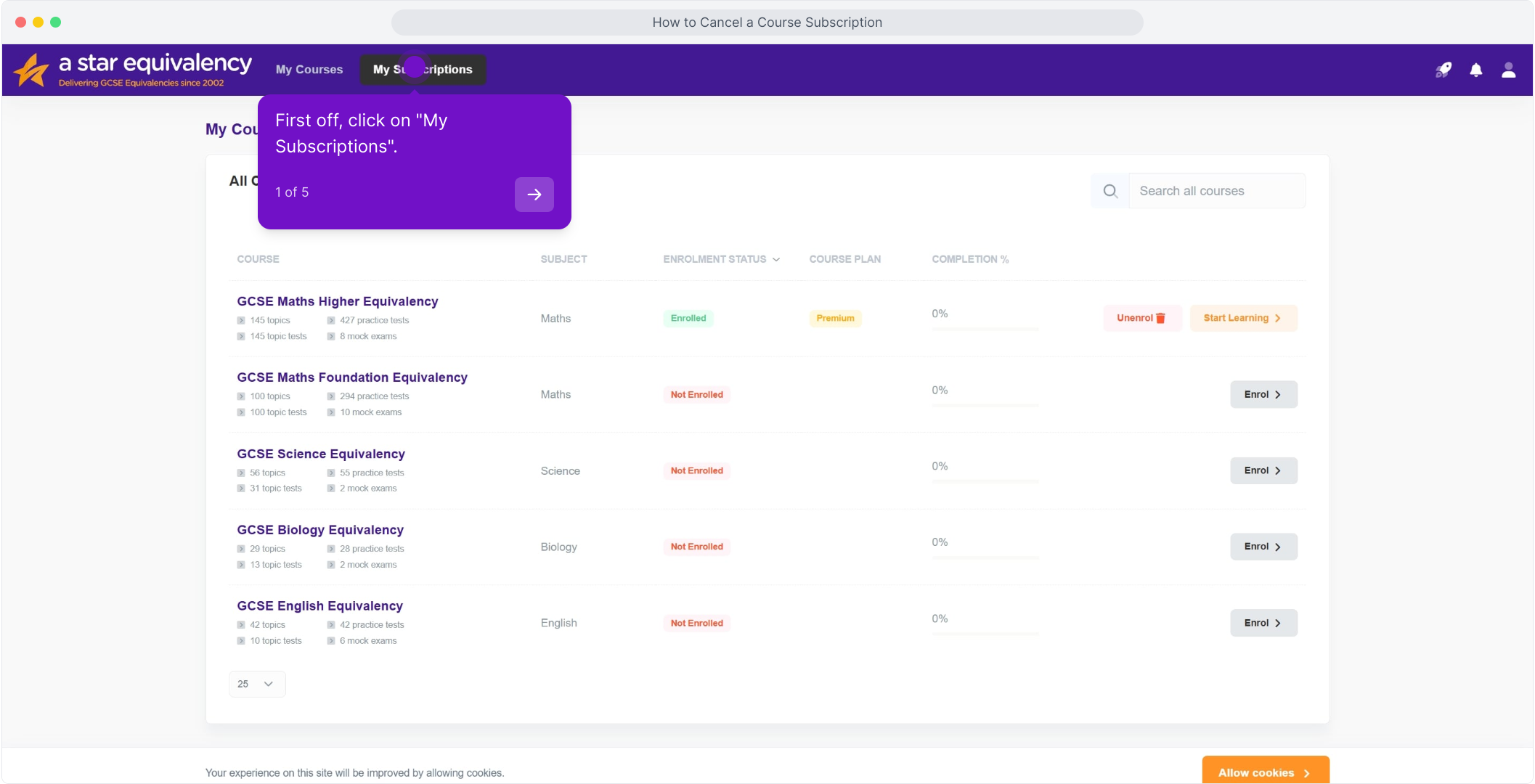
1. First off, click on "My Subscriptions".
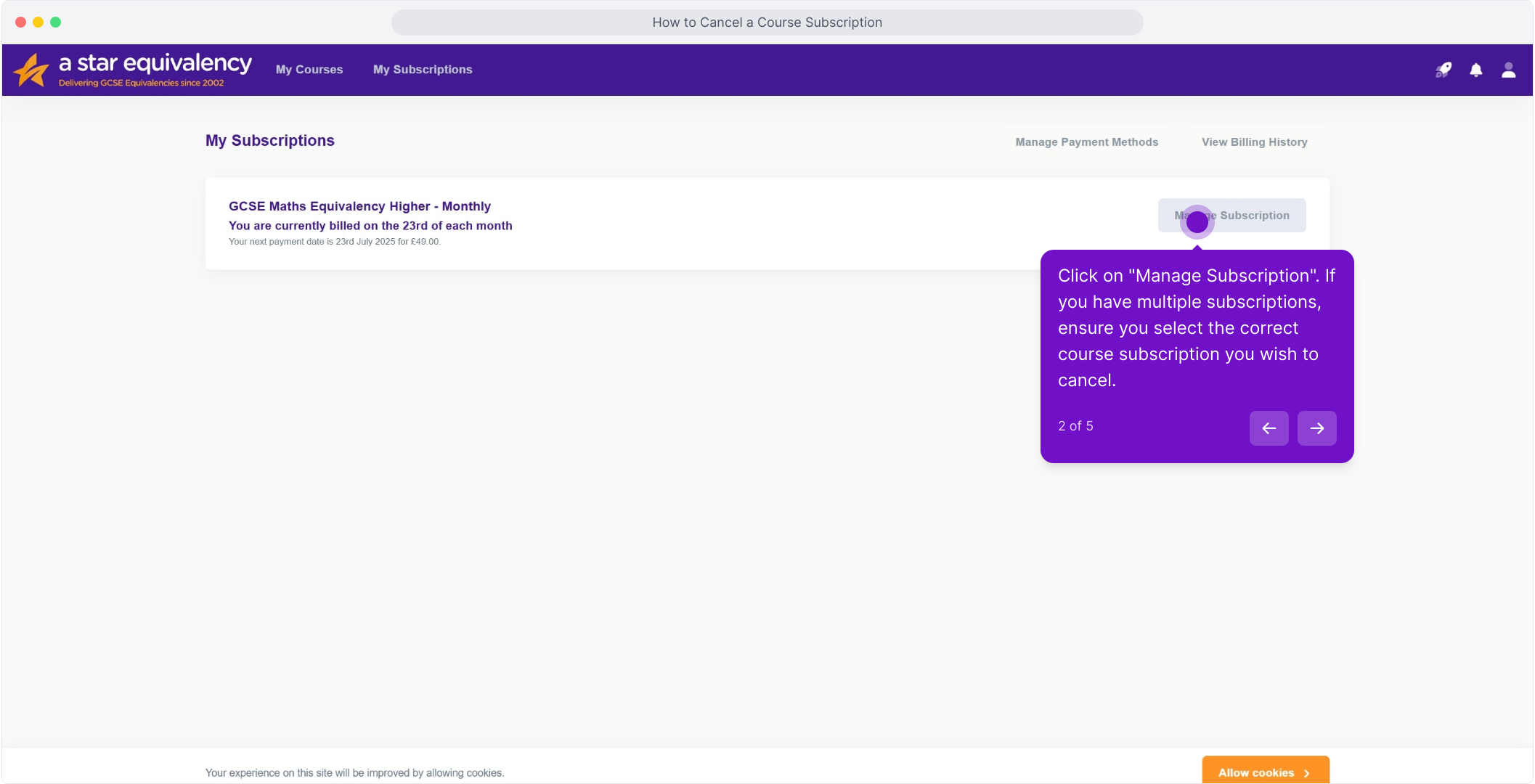
2. Click on "Manage Subscription". If you have multiple subscriptions, ensure you select the correct course subscription you wish to cancel.
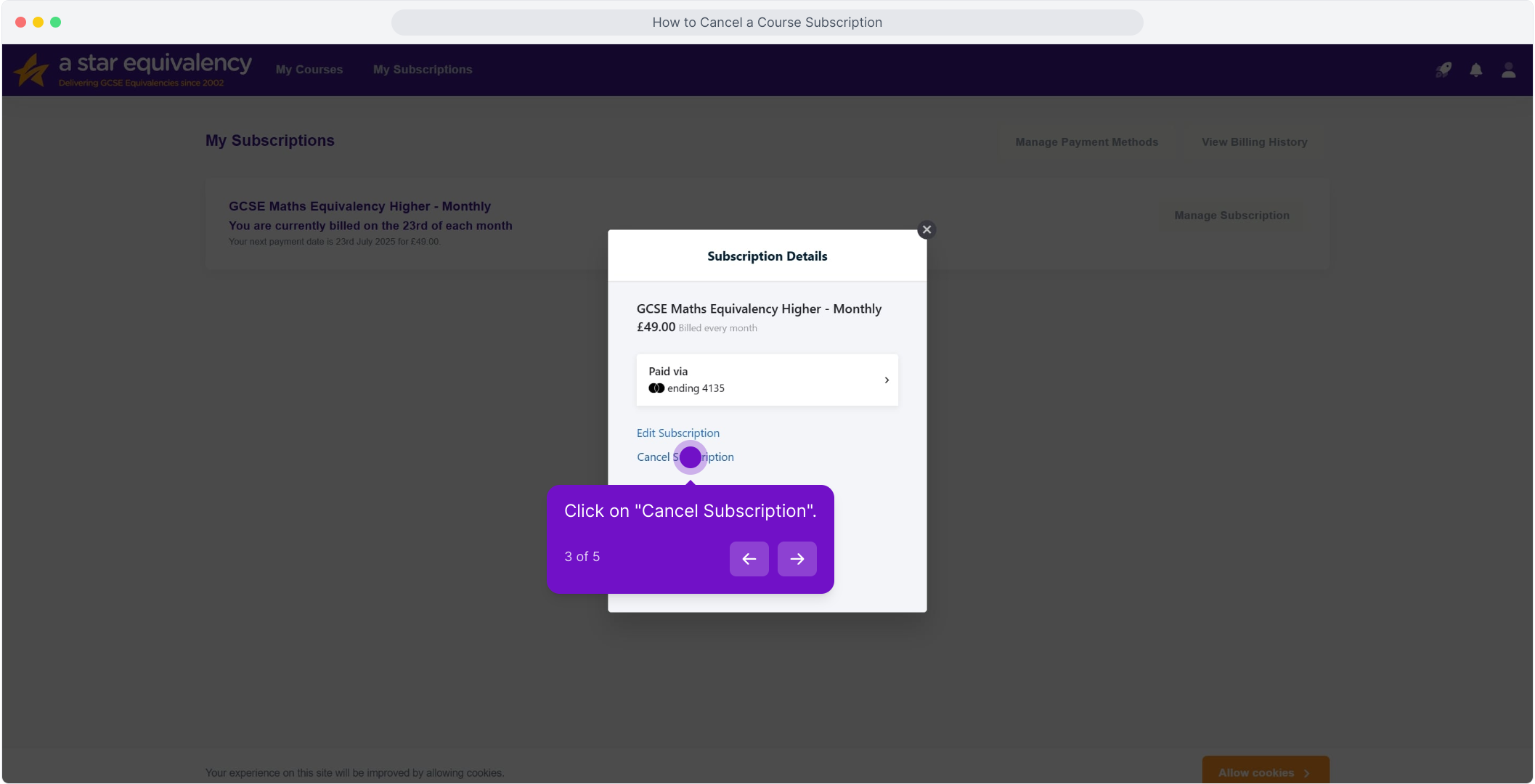
3. Click on "Cancel Subscription".
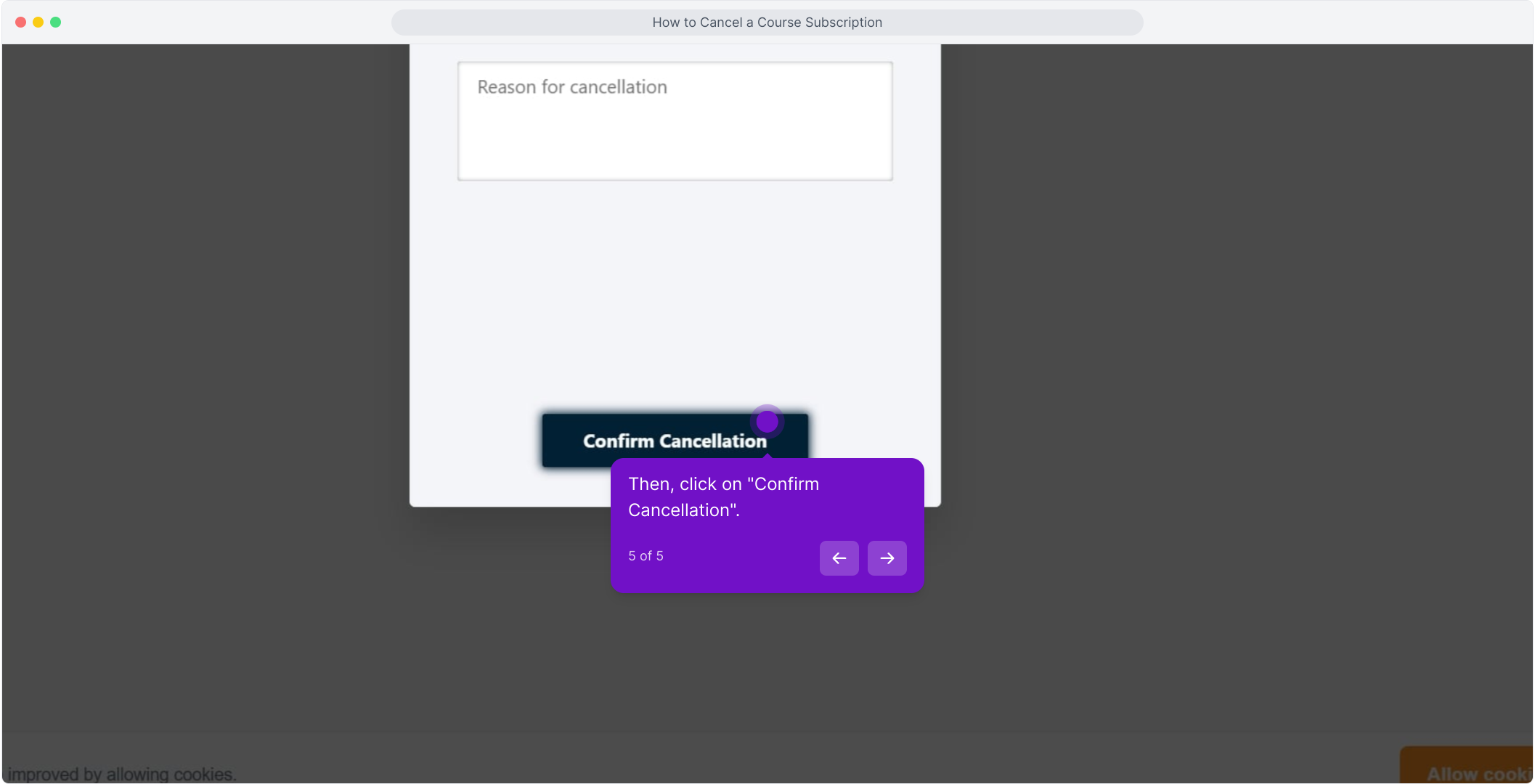
4. After that, click here and tell us your reason for cancellation.
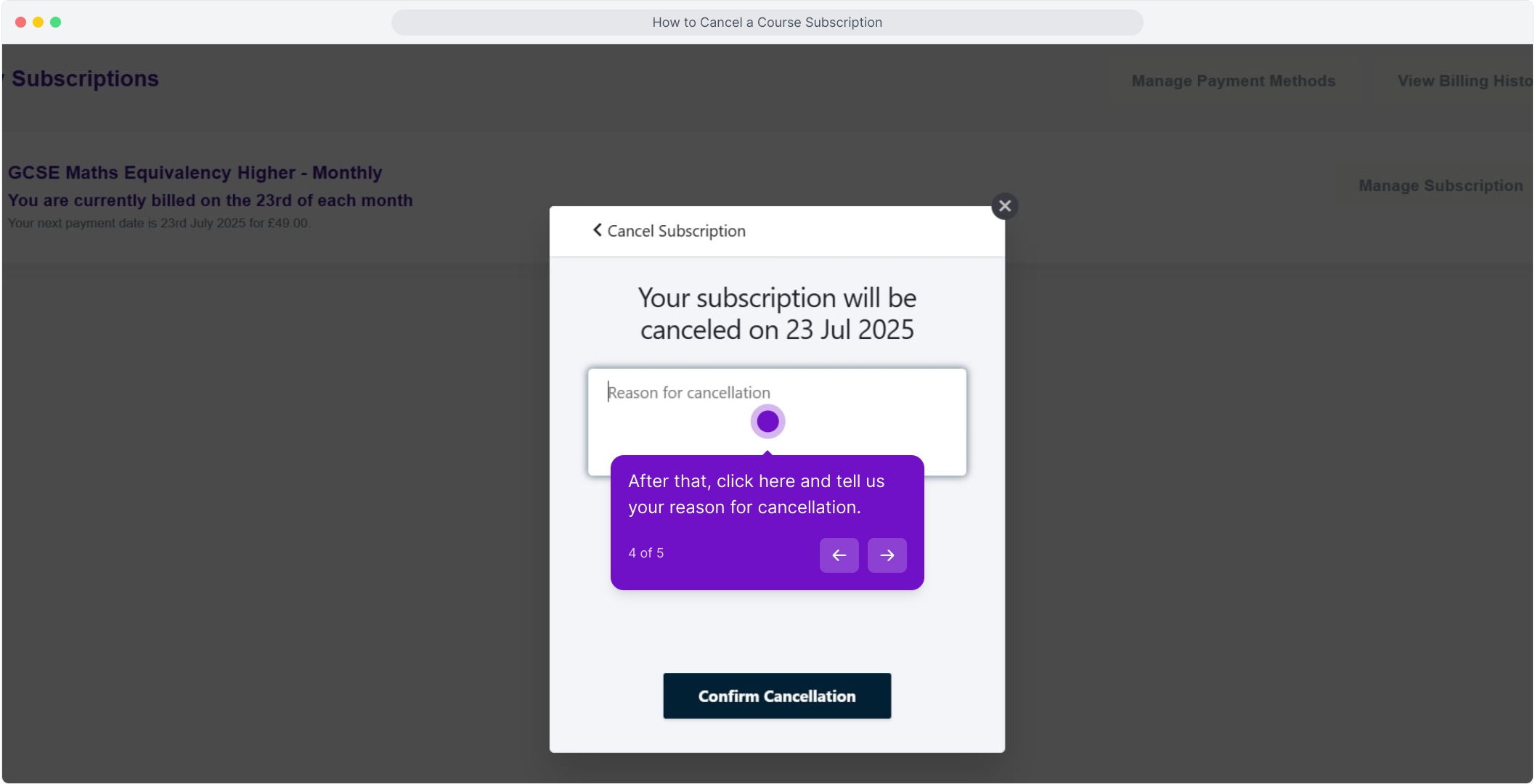
5. Then, click on "Confirm Cancellation".